Media Players: Which One Should You Pick? - Player Architecture & Middleware Evaluation (2026)
Evaluating a media players for production streaming requires examining application architecture, media container decoding, and network buffer management. The player engine interfaces directly with hardware video decoders, determines memory consumption during multi-screen rendering, and dictates channel switching responsiveness.
At Subscription IPTV UK, we optimize our streaming endpoints to deliver rapid data parsing and robust EPG synchronization across all leading media player platforms.
1. Engine Architecture: ExoPlayer vs VLC Media Frameworks
Most contemporary streaming applications rely on one of two underlying playback engines:
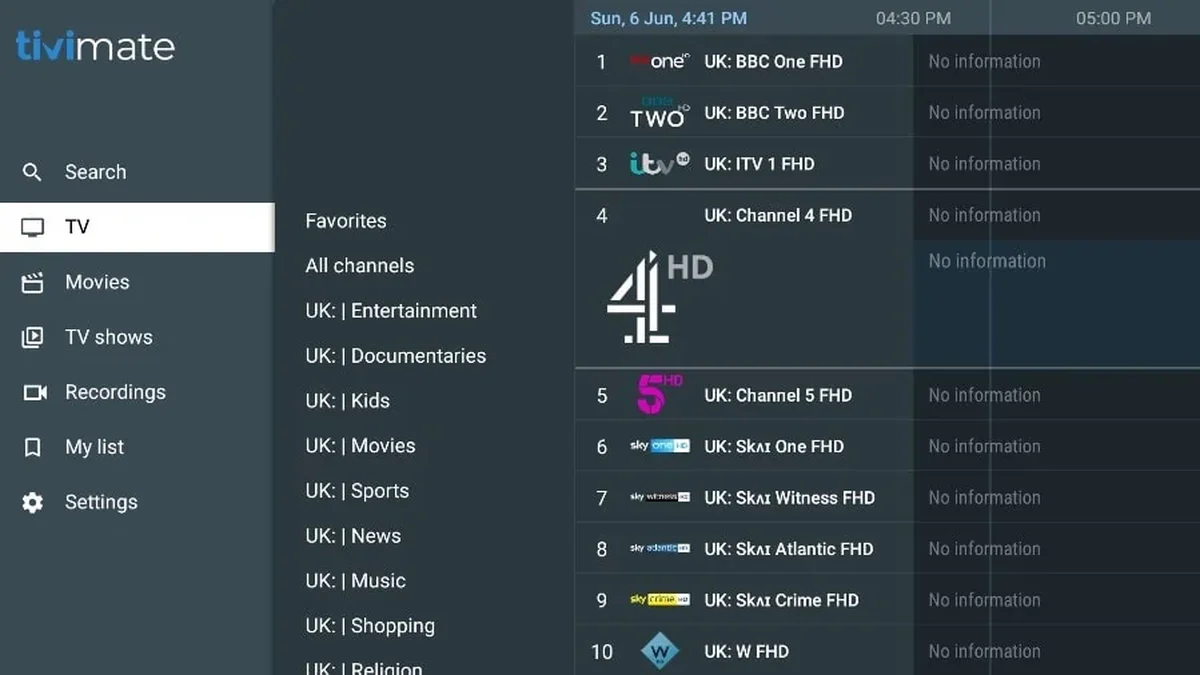
- Google ExoPlayer Framework (e.g. TiviMate, XCIPTV): An extensible, lightweight media player engine designed specifically for Android OS. It provides low-level hardware decoder control, superior HLS stream handling, and instant channel switching with minimal memory overhead.
- VLC Media Engine (e.g. VLC, GSE Smart IPTV): Highly versatile with support for older video compression formats, but introduces slightly higher channel zapping latency on live broadcast feeds due to larger default buffer allocations.
2. Technical Evaluation of Top IPTV Players
Compare the core technical capabilities across top applications:
| Benchmark | TiviMate IPTV Player | IPTV Smarters Pro | XCIPTV Player |
|---|---|---|---|
| Default Media Engine | Google ExoPlayer | ExoPlayer / VLC Switchable | ExoPlayer / VLC Switchable |
| RAM Footprint (Live Stream) | ~75–90 MB | ~120–160 MB | ~110–140 MB |
| Multi-Screen Video Streams | Up to 9 Concurrent Feeds | 4 Concurrent Feeds | 4 Concurrent Feeds |
| EPG XMLTV Parsing Speed | High-speed SQLite Database | Standard JSON Parsing | Standard Database Sync |
| Auto Frame Rate (AFR) Support | Native Hardware AFR | Limited by Device OS | Supported via ExoPlayer |
3. Configuring Advanced Playback Parameters
To maximize stream smoothness and eliminate micro-buffering on your best player iptv:
- Decoder Selection: In application settings, configure both Video and Audio decoders to
Hardware (MediaCodec). Software decoding causes frame drops on 4K 50fps sports broadcasts. - Buffer Allocation Tuning: Set your playback buffer size to
Normal(or approximately 2 to 3 seconds). A small buffer makes streams vulnerable to Wi-Fi jitter, while an excessively large buffer introduces unnecessary broadcast latency. - EPG Update Frequency: Set the guide refresh interval to
Every 12 HoursorOn App Launchto ensure accurate listings without causing background network congestion.
4. Deploy Enterprise Streaming with Subscription IPTV UK
Experience reliable, unthrottled television delivery:
- Over 35,000 Live Feeds: Complete coverage of UK terrestrial networks, Sky Sports suites, and TNT Sports.
- Over 250,000 VOD Titles: Massive library of film and television releases streaming in 1080p and 4K.
- Transparent Pricing Passes: 3 months (£29), 6 months (£39), 12 months (£54), or 24 months + 3 free months (£99) with zero hidden fees.
Explore our full IPTV packages directory, review our device setup walkthroughs, or check our troubleshooting guides. Start with an instant 24-hour free trial on WhatsApp.
Frequently Asked Questions
Which media players offers the best performance on Amazon Firestick?
TiviMate IPTV Player paired with an Amazon Fire TV Stick 4K or 4K Max delivers the fastest channel zapping, cleanest electronic programme guide, and lowest memory usage.
Does Subscription IPTV UK support M3U and Xtream Codes API?
Yes. We provide both Xtream Codes API credentials (server URL, username, password) and standard M3U playlist URLs for universal compatibility with all media player applications.
Can I record live television programmes in TiviMate?
Yes. TiviMate Premium supports custom recording paths, allowing you to record live broadcasts directly to internal storage, connected USB thumb drives, or local network NAS folders.
Conclusion
Deploying an advanced media players configured with hardware-accelerated video decoding transforms your home television into a cinema-grade entertainment centre. Explore our subscription options or connect with our support team on WhatsApp to activate your 24-hour test pass today.