Installing Kodi on Firestick: Step-by-Step Guide - Technical Deployment & PVR Configuration
Deploying installing kodi on firestick on Fire TV OS provides an adaptable open-source media environment capable of handling network streams, local NAS media, and live broadcast protocols. However, because Kodi was initially designed as an extensible media center rather than a dedicated television tuner, optimizing it for live broadcast streams requires precise configuration of hardware rendering and buffer memory.
At Subscription IPTV UK, we assist our subscribers in configuring both dedicated IPTV engines and Kodi setups to achieve stable, high-bitrate streaming across all hardware platforms.
1. Clean Sideload Installation Protocol
To ensure stability and avoid legacy script conflicts, deploy Kodi using this streamlined procedure:
- Activate Developer Privileges: Access Settings > My Fire TV > About, and click
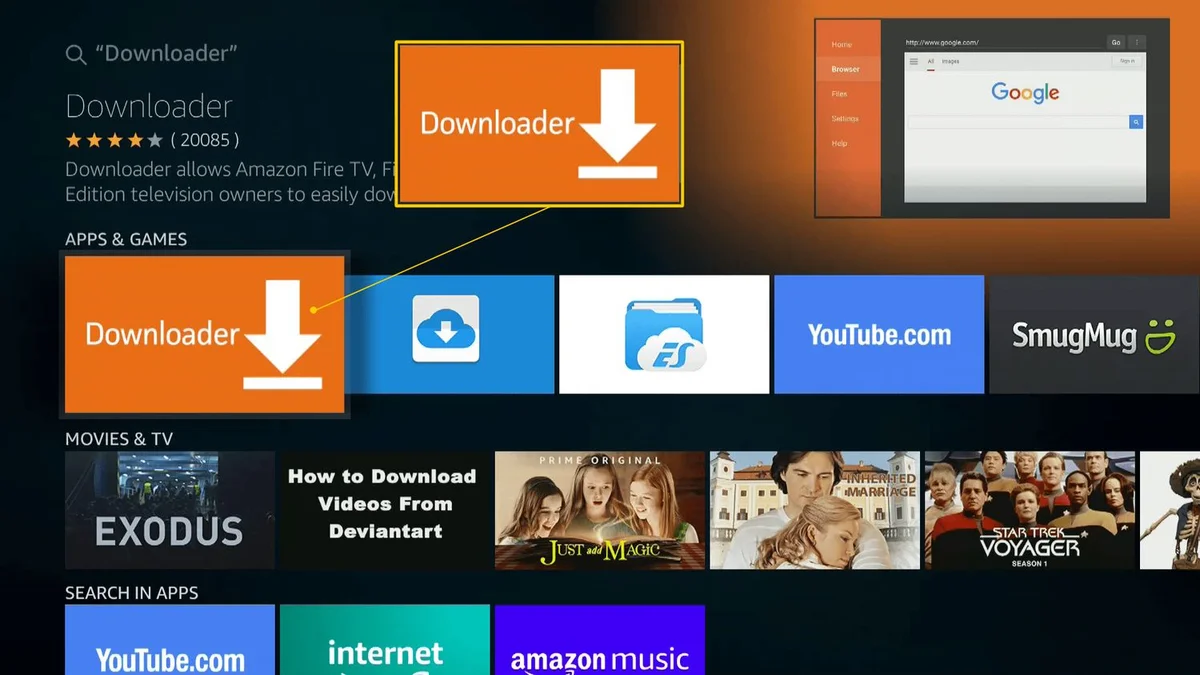
Select7 times on your device name to unlock Developer Options. - Grant Downloader Access: Navigate to Settings > My Fire TV > Developer Options > Install unknown apps, and enable permissions for Downloader.
- Acquire Official APK: Open Downloader, navigate to
https://kodi.tv, and download the 32-bit ARM APK. - Initial Launch Permissions: Launch Kodi, allow storage read/write permissions, and confirm system language and regional audio output settings.
2. Advanced PVR IPTV Simple Client Setup
Integrate your Subscription IPTV UK credentials into Kodi using the PVR middleware:
- Open Settings (Gear Icon) > Add-ons > Install from repository > All repositories > PVR clients.
- Select PVR IPTV Simple Client and click Install.
- Open add-on settings, select M3U Play List URL, and enter your subscription stream URL.
- Select EPG Settings, enter the XMLTV guide URL, and set the cache refresh interval to 12 hours to avoid stale programme listings.
- In Catchup Settings, enable catch-up mode if supported by your subscription tier to allow instant replay on primary UK channels.
3. Buffer Optimization: advancedsettings.xml
To prevent buffering on high-bitrate 1080p and 4K sports streams, configure Kodi’s video cache by creating an advancedsettings.xml file inside the userdata directory:
<advancedsettings>
  <cache>
    <buffermode>1</buffermode>
    <memorysize>139460608</memorysize>
    <readfactor>20</readfactor>
  </cache>
</advancedsettings>
This allocates approximately 133MB of RAM to the streaming buffer (safe for 1.5GB to 2GB RAM Firesticks) and instructs Kodi to fill the buffer at 20x real-time speed.
4. Dedicated IPTV Apps vs Kodi for UK Viewers
Consider this comparative overview when deciding whether Kodi fits your daily viewing routine:
| Benchmark | Kodi Media Center | Dedicated Player (TiviMate / Smarters) |
|---|---|---|
| EPG Sync Speed | Slower (builds database on boot) | Instantaneous background refresh |
| Channel Surfing UX | Multi-level sub-menus | Traditional TV grid with picture-in-picture |
| System Resource Usage | High CPU & RAM utilization | Ultra-low footprint (ExoPlayer engine) |
| Stability During Sports | Susceptible to memory leaks | 99.9% stable during 3-hour matches |
5. Unlock Superior Streaming with Subscription IPTV UK
Regardless of whether you choose Kodi or a dedicated player, a dependable service backend is vital:
- Over 35,000 Live Feeds: Full access to UK terrestrial, Sky Sports suites, and TNT Sports.
- Over 250,000 Movies & TV Episodes: Constantly updated on-demand content with high-speed CDN delivery.
- Flexible Prepaid Passes: Choose 3 months (£29), 6 months (£39), 12 months (£54), or 24 months + 3 free months (£99) with zero hidden fees.
Review our full IPTV packages, explore our setup guides, or check our troubleshooting database. Start with a 24-hour free trial today.
Frequently Asked Questions
Why does installing kodi on firestick crash during channel changes?
Frequent crashes usually occur when Kodi runs out of available RAM. Close background applications, remove unneeded video add-ons, and reboot your Firestick.
Can I use Xtream Codes API inside Kodi?
While PVR IPTV Simple Client natively uses M3U playlists, third-party Kodi addons like IPTV Archive or dedicated XC addons support Xtream Codes credentials directly.
What is the recommended Firestick model for Kodi?
The Fire TV Stick 4K Max (2nd Gen) with 2GB of RAM and 16GB of storage provides the ideal hardware headroom for running Kodi smoothly.
Conclusion
Configuring installing kodi on firestick creates an all-in-one media solution, but ensuring buffer-free playback requires a robust streaming provider. Check out our subscription packages or connect on WhatsApp to activate your free test pass today.